Broker status#
The Broker Status tab subscribes to a broker's $SYS topics and presents the broker's own statistics — traffic, connected clients, load averages, and message counts. $SYS is a convention supported by brokers such as Mosquitto and HiveMQ; the exact set of values a broker publishes varies.
Enabling $SYS status#
Subscribing to $SYS topics is off by default. Enable Enable subscriptions to $SYS topics in Settings first — otherwise the Broker Status view (and any manual $SYS subscription) stays empty.
Then, on the Broker Status tab:
- Select the broker to read from.
- Click Subscribe to start receiving
$SYSupdates (Unsubscribe to stop).
The Last Update field shows when the figures were last refreshed.
What the groups show#
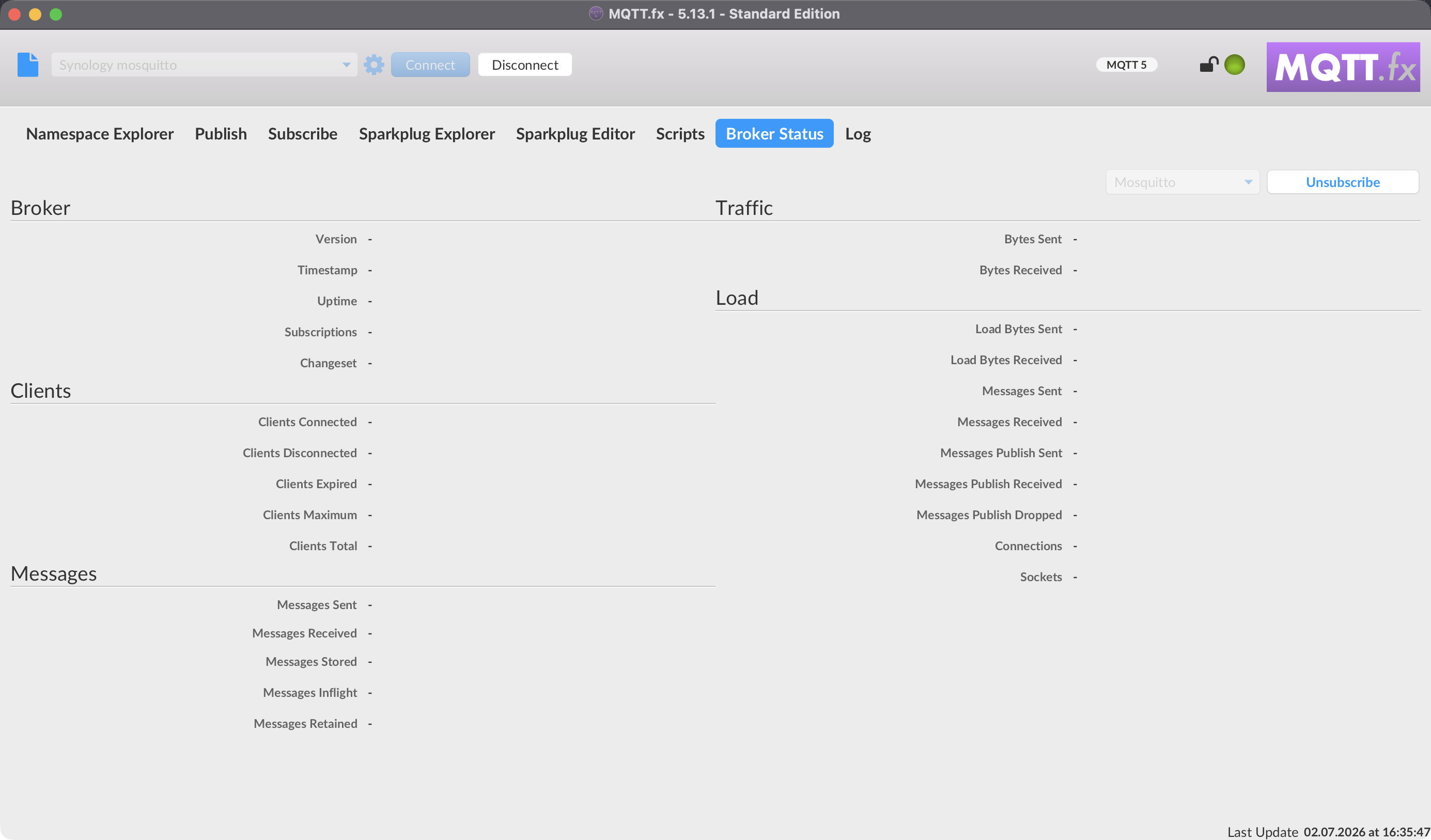
The values are grouped. The descriptions below come from the in-app tooltips.
Broker#
| Metric | Meaning |
|---|---|
| Version | The version of the broker (static). |
| Timestamp | When this build of the broker was made (static). |
| Changeset | The repository revision this build was made from (static). |
| Uptime | How long the broker has been online, in seconds. |
Traffic#
| Metric | Meaning |
|---|---|
| Bytes Received | Total bytes received since the broker started. |
| Bytes Sent | Total bytes sent since the broker started. |
Clients#
| Metric | Meaning |
|---|---|
| Clients Connected | Number of currently connected clients. |
| Clients Disconnected | Persistent clients (clean session off) registered but currently disconnected. |
| Clients Expired | Disconnected persistent clients that have been expired and removed. |
| Clients Maximum | The high-water mark of active clients connected to the broker. |
| Clients Total | Total active and inactive clients currently registered. |
Load#
The Load values are moving averages over different intervals (the $SYS topic's final level can be 1, 5, or 15 minutes).
| Metric | Meaning |
|---|---|
| Connections | Moving average of CONNECT packets received. |
| Load Bytes Received | Moving average of bytes received. |
| Load Bytes Sent | Moving average of bytes sent. |
| Messages Received | Moving average of all MQTT messages received. |
| Messages Sent | Moving average of all MQTT messages sent. |
| Messages Publish Received | Moving average of PUBLISH messages received. |
| Messages Publish Sent | Moving average of PUBLISH messages sent. |
| Messages Publish Dropped | Moving average of publish messages dropped (rate at which disconnected durable clients lose messages). |
| Sockets | Moving average of socket connections opened. |
Messages#
| Metric | Meaning |
|---|---|
| Messages Received | Total messages of any type received since start. |
| Messages Sent | Total messages of any type sent since start. |
| Messages Inflight | Messages with QoS > 0 awaiting acknowledgement. |
| Messages Stored | Messages currently held in the store (retained + queued for durable clients). |
| Messages Retained | Total retained messages active on the broker. |
| Messages Dropped | Total publish messages dropped due to inflight/queuing limits. |
| Subscriptions | Total subscriptions active on the broker. |
Tips and caveats#
- Not every broker publishes every
$SYSvalue; fields a broker does not report stay blank. The values are entirely broker-defined. $SYSstatistics describe the broker, not your MQTT.fx session. To watch application topics, use the Subscribe tab or the Namespace Explorer.