Namespace Explorer#
The Namespace Explorer builds a live tree of a broker's topic namespace. It subscribes to the broker and, as messages arrive, assembles a tree of every topic it sees — with per-node message and subtopic counts and an optional auto-expand. It is designed for broad namespaces and high message rates, with overload protection so the UI stays responsive. The Namespace Explorer was introduced in MQTT.fx 5.7.0.
You must be connected to a broker to use it.
Scanning the namespace#
Open the Namespace Explorer tab and click Scan to start collecting. The tree root is labelled with the broker address, and topics fill in beneath it as messages arrive. Click Stop to end the scan.
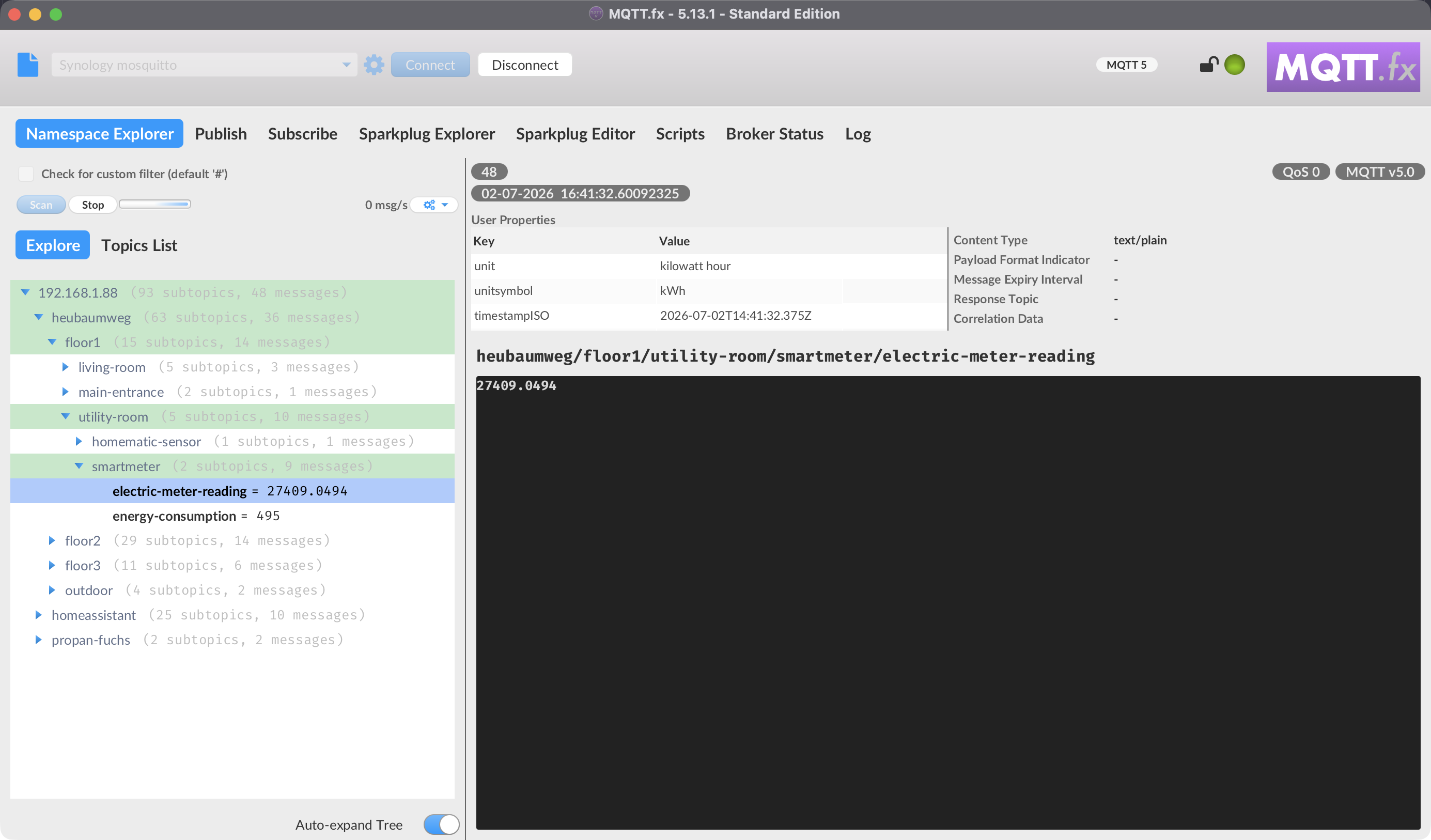
By default the Namespace Explorer subscribes to everything (#). To scan a narrower part of the namespace, enable the topic-filter option and enter an alternative topic filter before scanning (added in 5.11.0). The filter you use is remembered per profile.
Watch out: scanning
#on a busy broker subscribes to all traffic and can be heavy. Use a topic filter to focus on the branch you care about, and rely on the overload protection to keep the display responsive.
Working with the tree#
- Auto-expand Tree — automatically expand new nodes as they appear (off by default). Turn it off on busy brokers to keep the tree readable.
- Each node shows counts for the messages and subtopics beneath it.
- Selecting a node shows the latest message on that topic, including MQTT 5 properties (content type, response topic, correlation data, user properties, and so on) when present.
- Large payloads are shown shortened in the tree to avoid performance issues (improved in 5.12.0); JSON and Eclipse Sparkplug payloads are auto-detected and pretty-printed (5.7.2).
Per-topic and node actions#
Right-click a node for actions including:
- Purge Retained Message — clear the retained message on that topic (5.9.0).
- Purge All Retained Messages from here — recursively clear retained messages on the node and everything beneath it.
- Subscribe to Response Topic — when the selected message carries an MQTT 5 response topic.
From the tab's menu you can also:
- Subscribe to selected collected topics, or Copy / Copy All collected topic names to the clipboard.
- Clear Collected Topics — empty the collected-topics list.
- Clear Messages Buffer — drop the buffered messages.
Throughput#
The Namespace Explorer shows a messages-per-second meter (Incoming vs Processed), so you can see when traffic outpaces what the display can render — the same overload-protected pipeline used by the Subscribe tab.